

Published on August 26, 2024
5 min to read
Top Multi-Location Social Media Marketing Tools

Summarize with AI

Table of contents
Summarize with AI

ChatGPT

Claude

Perplexity
Share

Vista Social

X (Twitter)


Multi-location social media marketing tools are a must to streamline your workflows and drive results faster.
Social media marketing in various locations involves many moving parts, from localizing content and analyzing performance to managing audience engagement.
It’s easy to get overwhelmed, which can slow down your workflows and cause your clients to miss their social media marketing goals.
The solution? Multi-location social media marketing tools.
In this guide, we’ll cover the leading tools that simplify and streamline your multi-location social media marketing tasks, allowing you to deliver better results faster to clients.
Table of contents
What you will learn
- What are multi-location social media marketing tools?
- What are the benefits of using multi-location social media marketing tools?
- What are the best multi-location social media marketing tools?
- What multi-location social media marketing tools should you choose?
What are the best multi-location social media marketing tools?
While the right tools can depend on your client’s unique needs, the following are essential platforms for multi-location social media marketing that you shouldn’t miss out on.
1. Vista Social
Vista Social offers all the essential features to supercharge and streamline your multi-location social media marketing and optimization workflows.
The platform’s social media publishing feature lets you schedule your clients’ content for auto-posting.
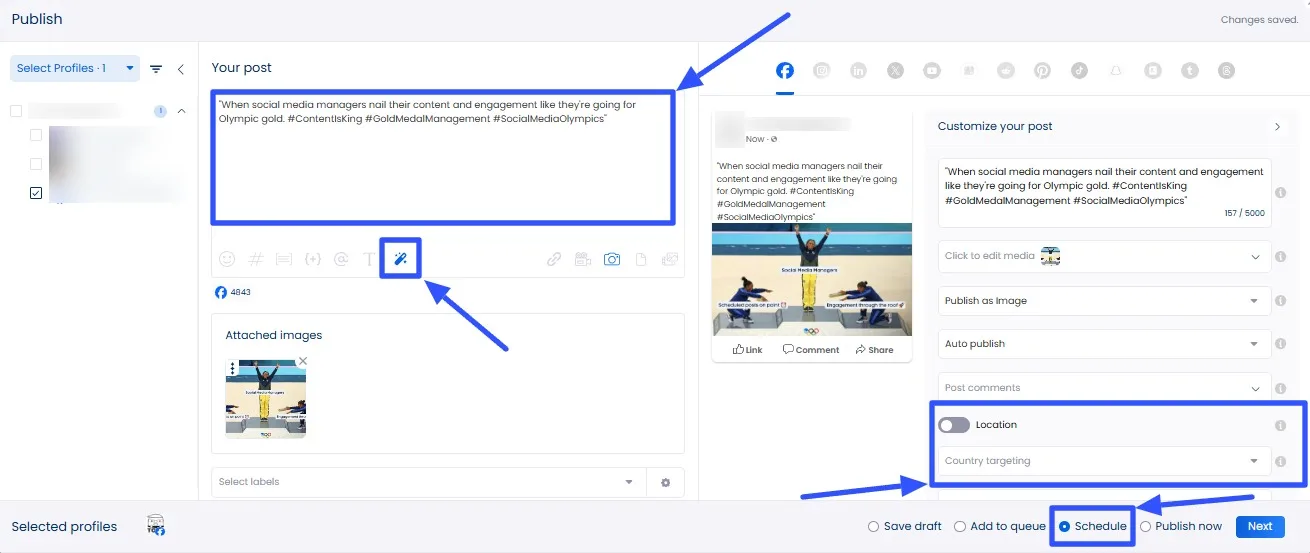
You can switch on Location and set the Country targeting option (for Facebook and LinkedIn posts) to refine the post’s audience and reach.
Doing so helps ensure the post reaches the right people in specific locations.
[Must read: Facebook Post Formatting: Ultimate Guide]
You can also specify the audience’s gender and minimum and maximum ages to help get your clients’ posts in front of the right audiences.
Use the AI Assistant to generate post descriptions and taglines quickly.
You can also use it to refine your written text and set the brand voice and tone to guide the AI Assistant.
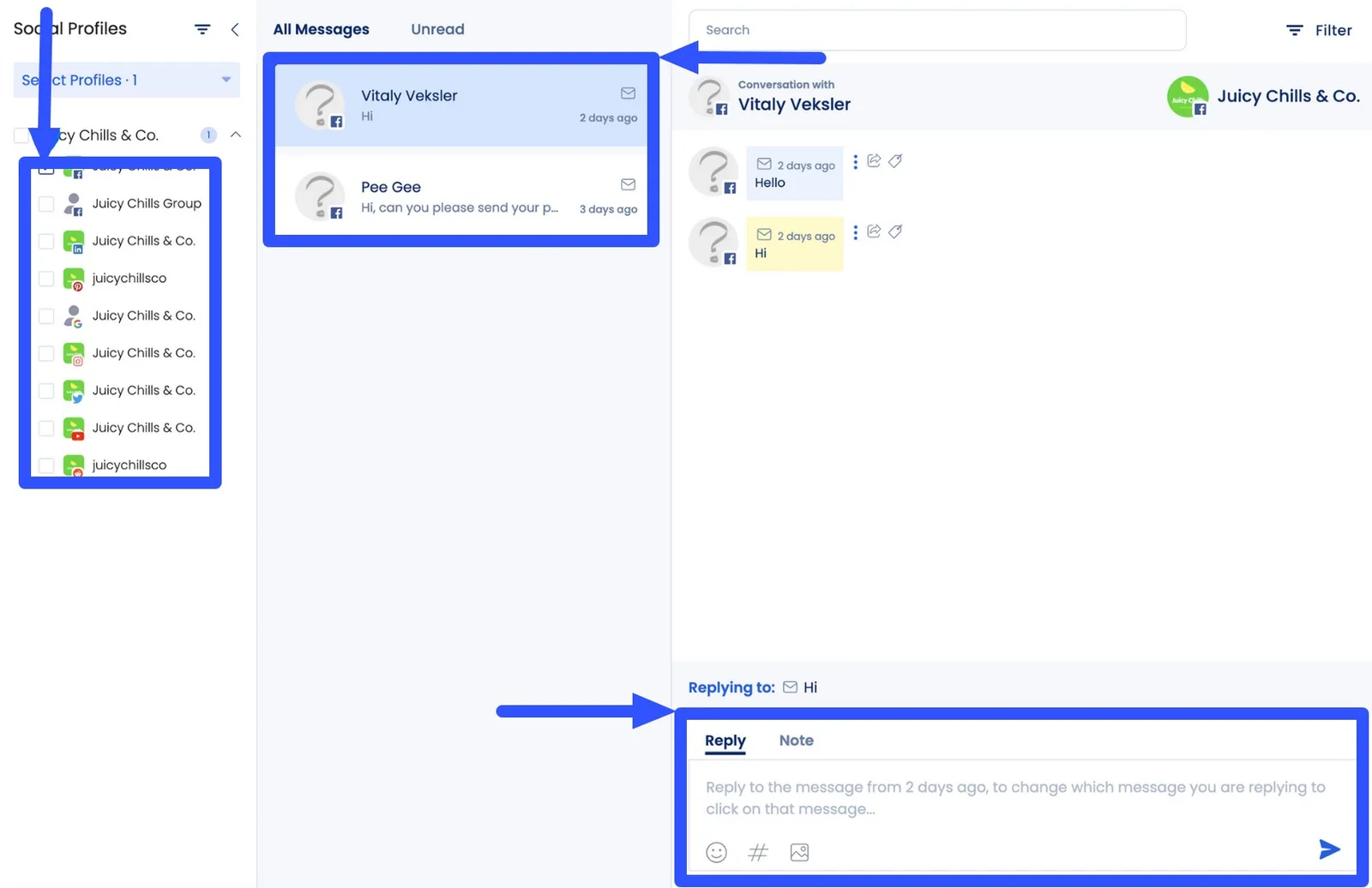
The platform’s social media engagement feature simplifies managing audience and follower comments, messages, mentions, and reviews.
It includes a Social Inbox that lets you manage, access, and respond to all your clients’ engagement within profiles linked to Vista Social.
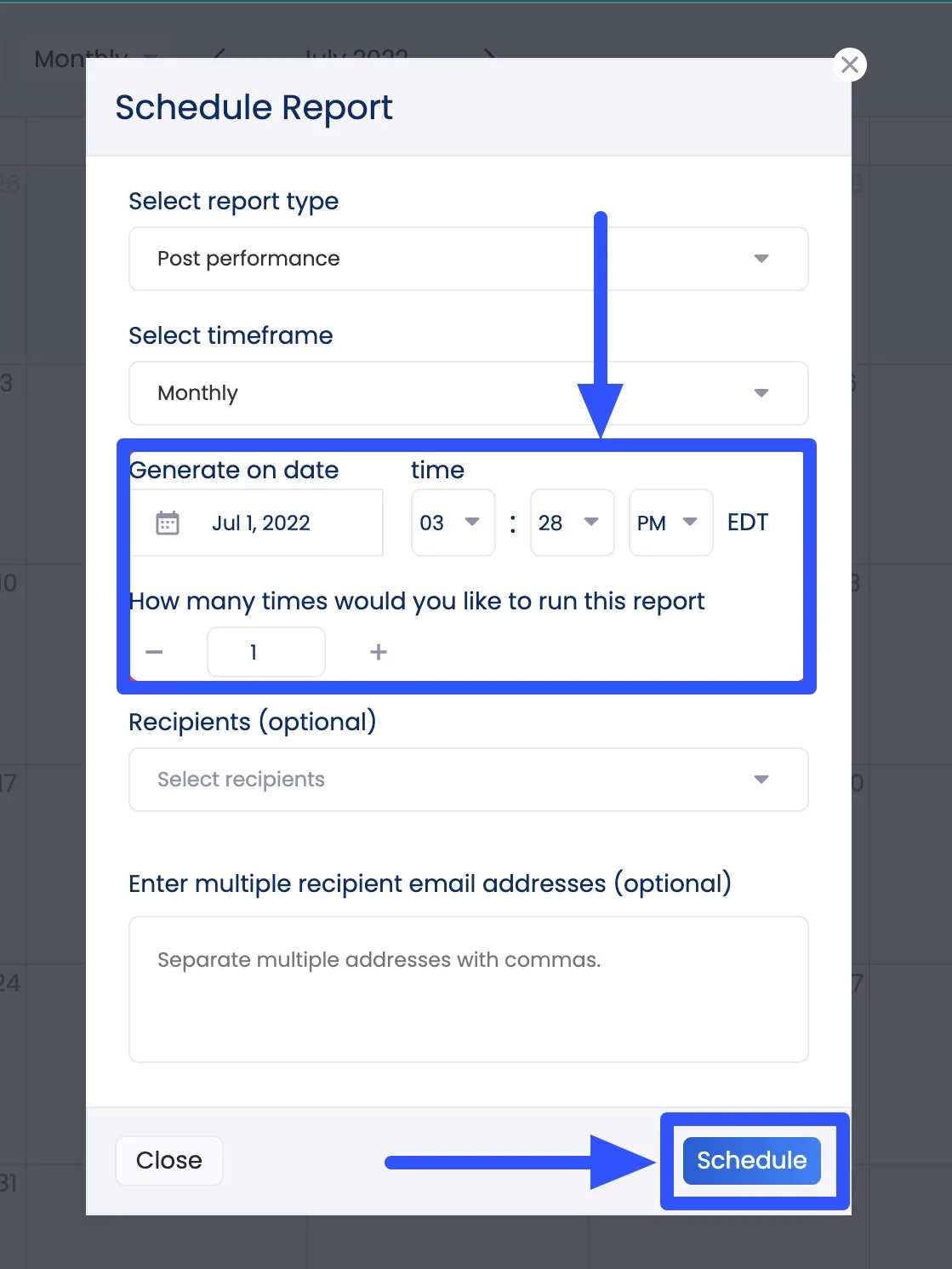
Create custom reports on your clients’ multi-location social media content performance from one comprehensive dashboard.
Vista Social lets you create custom and scheduled reports to ensure everyone in your clients’ locations is on the same page.
The platform offers more social media marketing features, such as:
- Review management
- Content calendar
- Hashtag tools
- Social media listening
- Media library
2. Piktochart
Create visual multi-location social media marketing content using Piktochart.
You can design infographics, slideshows, and social media posts, making it easy to create localized visual content.
[Must read: Social Media Post Design Ideas for Social Media Marketers]
Use the online infographic maker’s AI to generate designs and visuals instantly.
Write your prompt, such as, “Write a webinar announcement for LinkedIn,” and the AI will generate top-quality custom visual content design options within seconds.
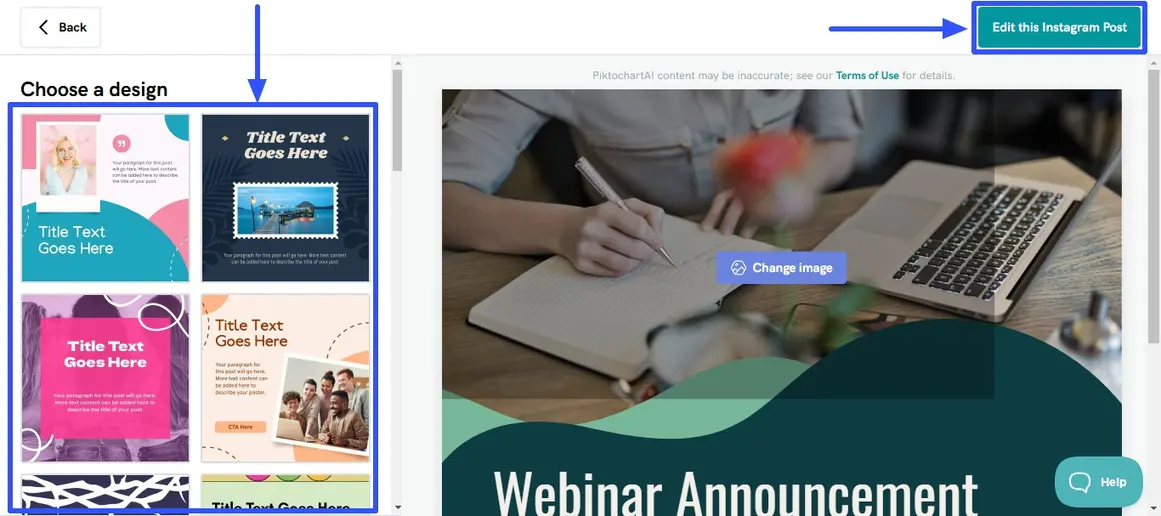
Choose from the generated designs and customize them accordingly with user-friendly editing tools.
Also, Piktochart lets you upload reports and turn data into visualizations, speeding up your content creation process.
3. Placeit
Design localized and on-brand social media content with Placeit.
The tool lets you design mockups, including videos, logos, and other assets for your clients’ branded Instagram and social media content.
[Must read: How to Use Instagram Branded Content]
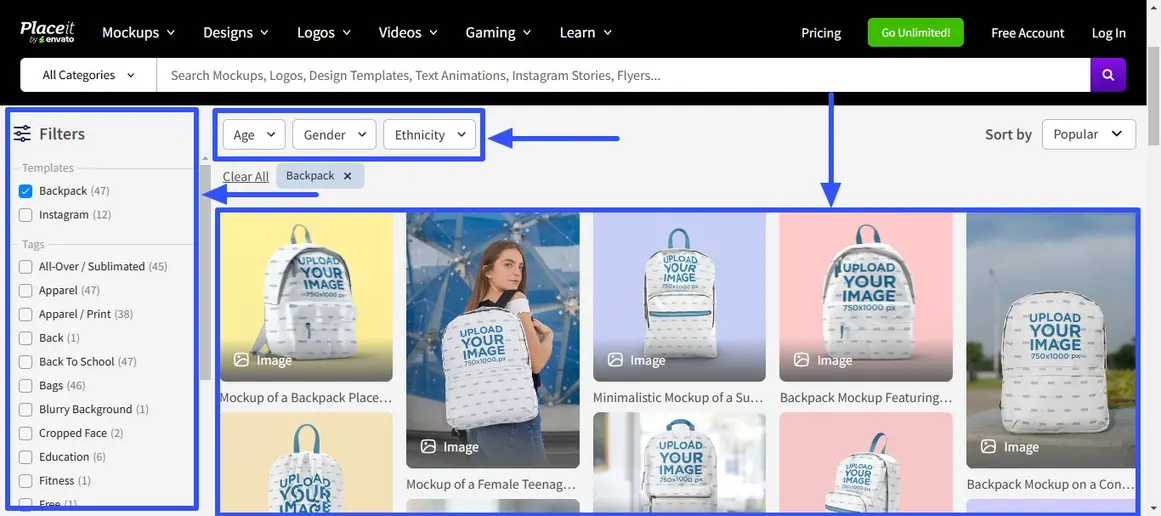
For example, you can create product image mockups for your clients’ Instagram Shop, fueling their social selling efforts.
You won’t need to start from scratch since you can choose and customize ready-to-use templates.
[Must read: Social Selling Explained: w/ Techniques and Benefits [2024]]
The templates can keep your mockups consistent and aligned with your clients’ brands and social media style guides.
4. Giphy
You don’t have to be too serious with multi-location social media posts to really engage your clients’ local audiences. A more relaxed approach can work wonders!
Use Giphy to inject fun and humor into your clients’ content by adding fun GIFs and animated images.
The more relatable your clients’ content, the higher the chances they engage local audiences and potential customers.
Find a GIF that speaks to local audience interests and supports your clients’ content strategies and share it across your clients’ social media feeds.
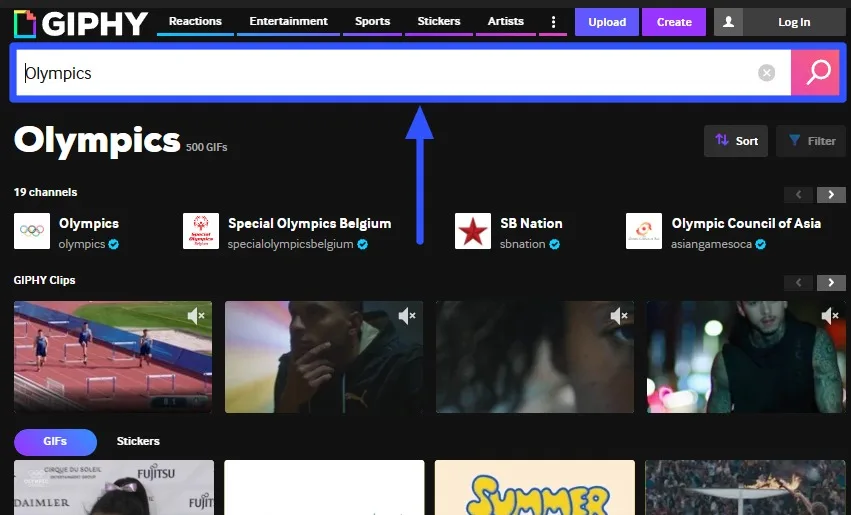
Add catchy captions, emojis, and relevant hashtags to boost the post’s discoverability, visibility, and reach.
5. RelayThat
Another handy design tool is RelayThat.
The tool goes beyond simple visual content design templates by providing smart layouts that include:
- Trending color combinations
- Font pairs
- Design presets
- Headlines
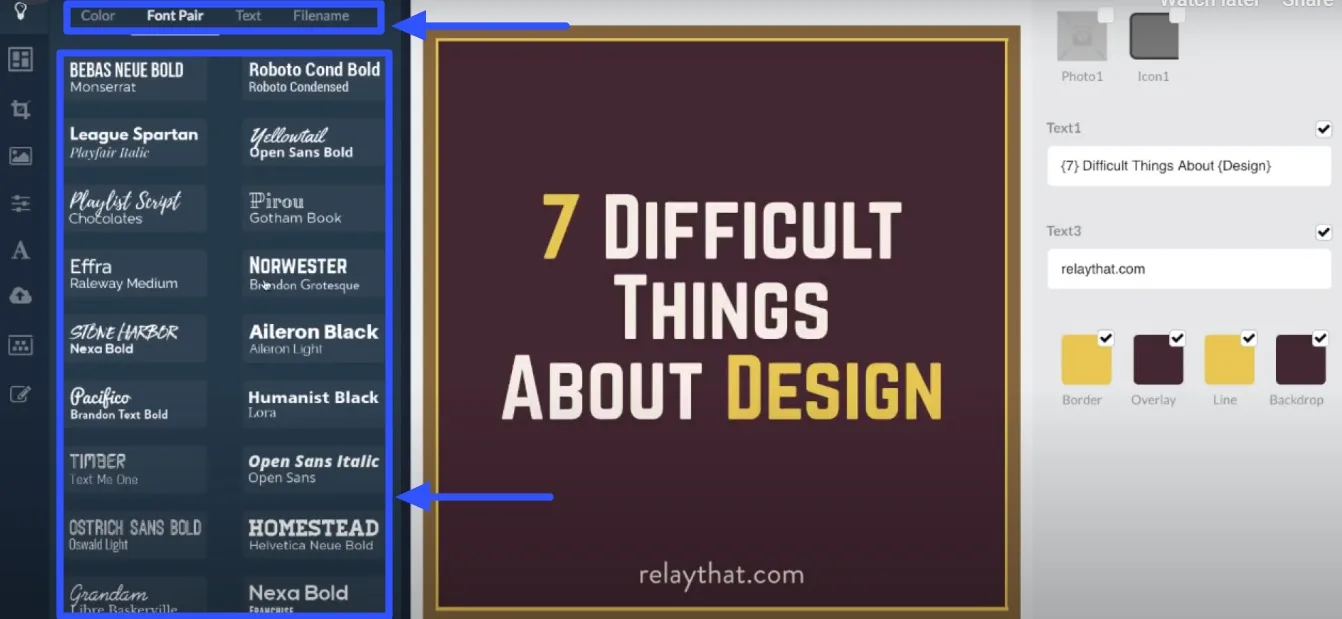
The feature helps keep your clients’ social media and web content on-brand across various campaigns, locations, and local audiences.
Use RelayThat’s magic import to repurpose content and assets from URLs, such as color palettes, images, font styles, etc.
The tool also offers automated image Search Engine Optimization (SEO) to boost the chances of your clients’ social media images and visual content appearing at the top of searches.
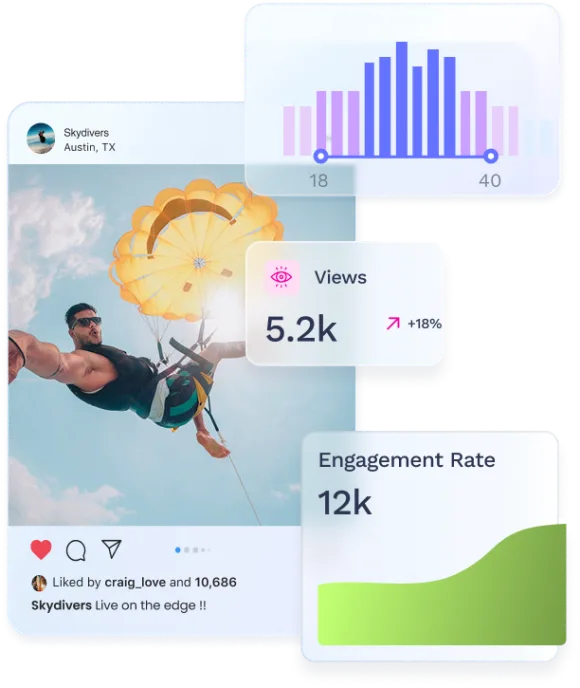
Try Vista Social for free
A social media management platform that actually helps you grow with easy-to-use content planning, scheduling, engagement and analytics tools.
Get Started NowAbout the Author

Content Writer
Jimmy Rodela is a social media and content marketing consultant with over 9 years of experience, with work appearing on sites such as Business.com, Yahoo, SEMRush, and SearchEnginePeople. He specializes in social media, content marketing, SaaS, small business strategy, marketing automation, and content development.
Loading related tools...



Tools
PublishingAnalyticsEngagementIntegrations
FacebookInstagramLinkedInRedditSnapchatThreadsTikTokX (Twitter)YouTubeBlueskyVista Page (link-in-bio)All IntegrationsCopyright © 2026 Vista Social LLC. All Rights Reserved.