

Published on December 20, 2024
5 min to read
How to Make a Post Shareable on Facebook [2025]: Ultimate Guide

Summarize with AI

![How to Make a Post Shareable on Facebook [2025]: Ultimate Guide](/static/2c99b411036a4b36567f280a965dd792/40476/how-to-make-a-post-shareable-on-facebook.jpg "How to Make a Post Shareable on Facebook [2025]: Ultimate Guide")
Table of contents
Summarize with AI

ChatGPT

Claude

Perplexity
Share

Vista Social

X (Twitter)


You won’t believe how easy it is to make a post shareable on Facebook—this guide has everything you need to know.
Let’s face it: there’s nothing better than when your clients’ posts are so good, their followers can’t resist sharing them.
But here’s the catch—what if the share button is nowhere to be found?
No worries! The fix is simple: make those posts shareable.
This guide walks you through the process, step by step, so your clients’ posts can shine across Facebook, from feeds to public groups.
Table of contents
What you will learn
How to make a post shareable on Facebook
How to make a post shareable on a Facebook page
How to make a post shareable on a Facebook group that is public
How to make a post shareable on Facebook in a private group
How to make a post shareable on Facebook after posting
Create and schedule shareable Facebook posts easily with Vista Social
Shareable Facebook post examples
FAQs on how to make a post shareable on Facebook
Learn how to make a post shareable on Facebook easily
How to make a post shareable on Facebook
The easiest way to make your clients’ posts shareable on Facebook is to make them public.
This way, all users can share their public posts, whether they are friends (followers) or not.
Must read: How to Get Followers on Facebook in 2024: Proven & Easy Ways
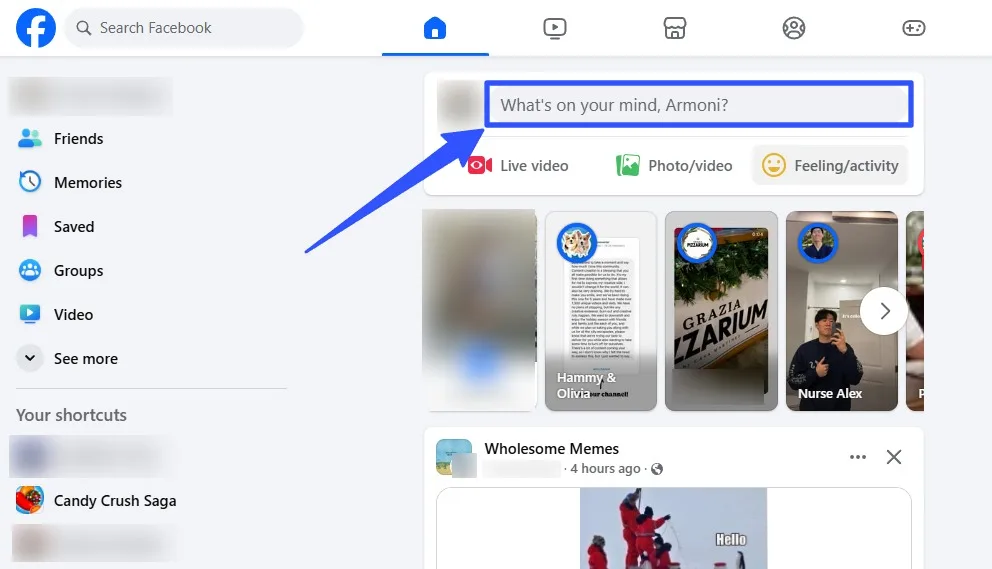
After logging into your client’s account, click the “What’s on your mind?” section on the Facebook home page.
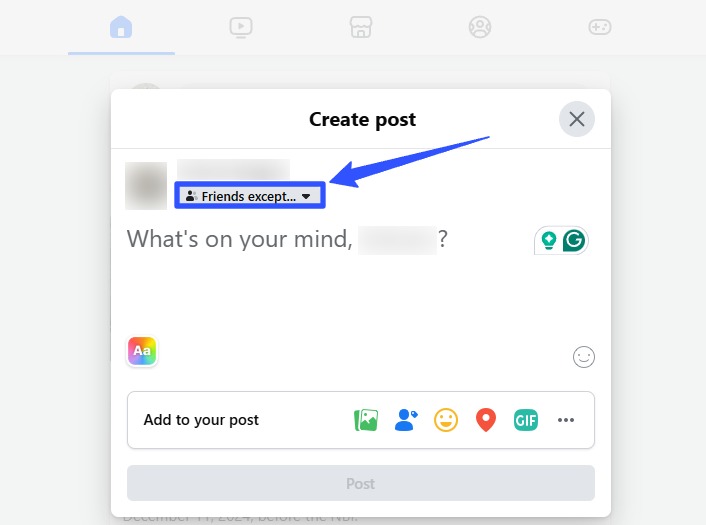
Select the post audience options under the username in the popup window for creating a new post.
Select Public and Save. You can also set the option to make future posts automatically public by default.
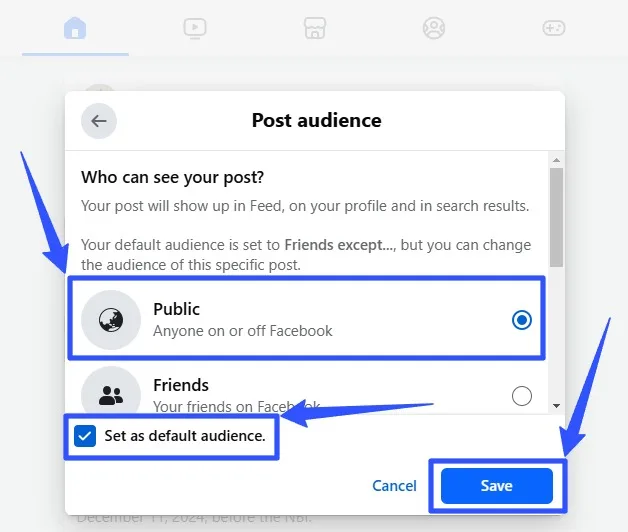
Public posts can be shared by anyone on or off Facebook.
You can always change the audience settings for your clients’ posts accordingly.
How to make a post shareable on a Facebook page
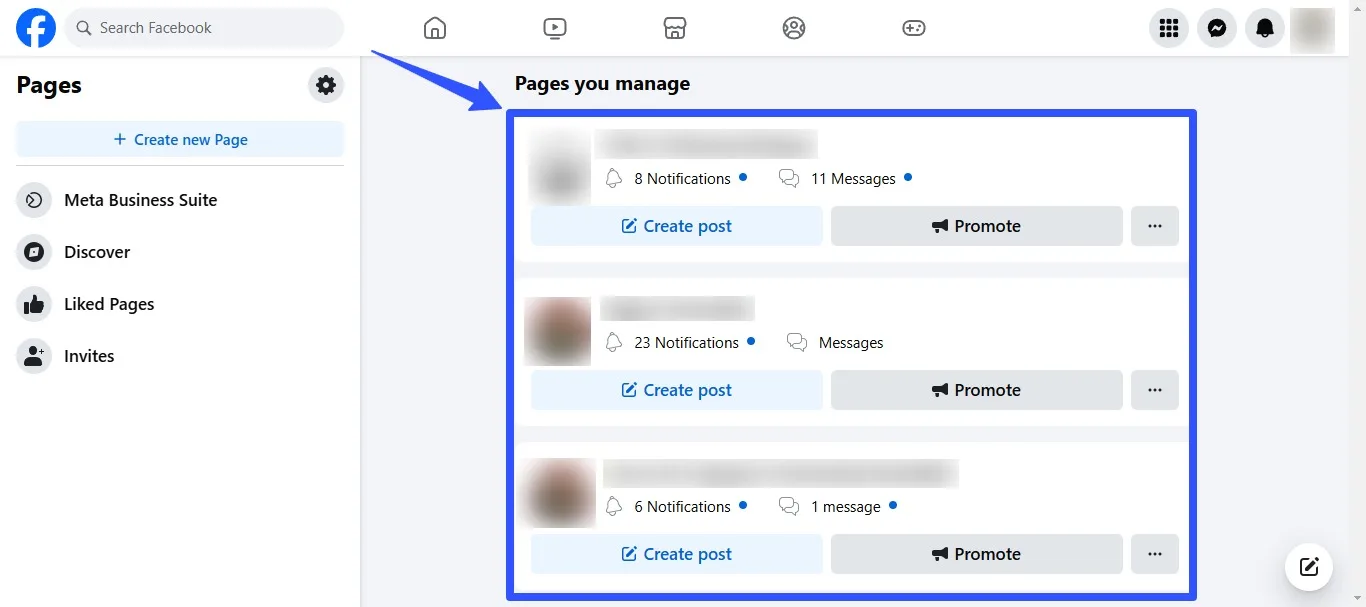
On your client’s Facebook home page, select Pages from the left-hand menu. You may need to click the See more button to display the Pages option.
Must read: How to Get Clients on Facebook (A Guide for Agencies)
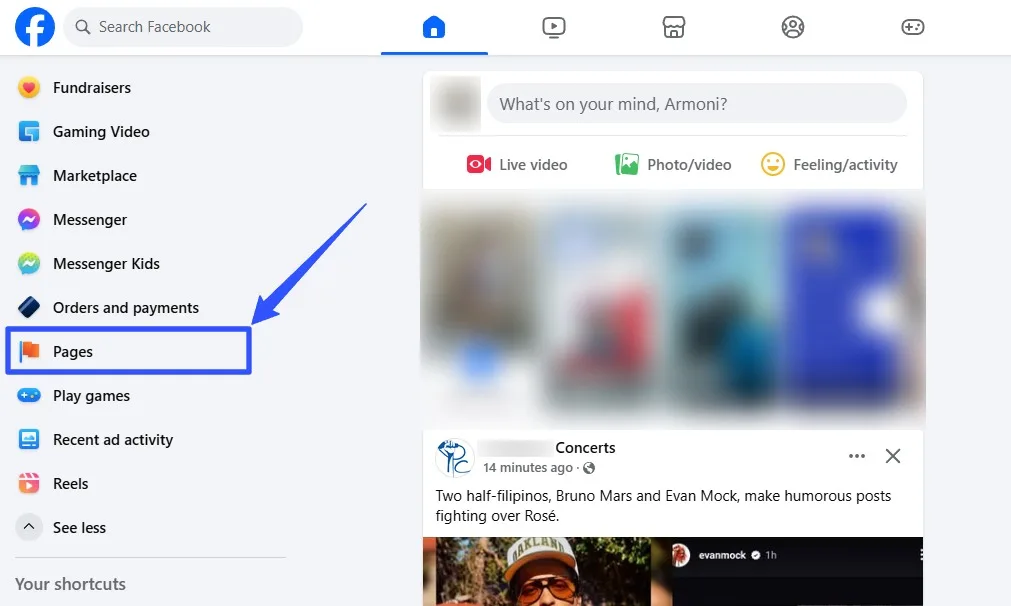
Select the Facebook Page where you want to enable shareable posts.
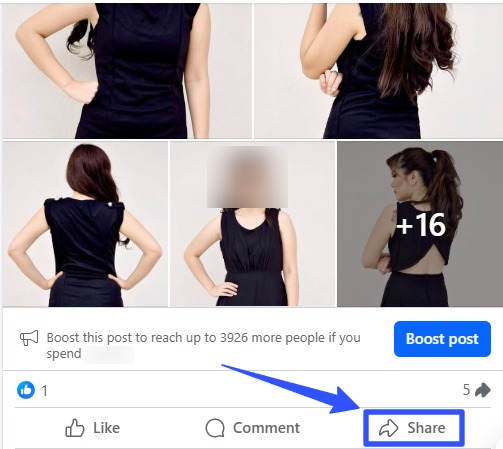
Scroll down to find the specific post and click the Share button in the lower right corner.
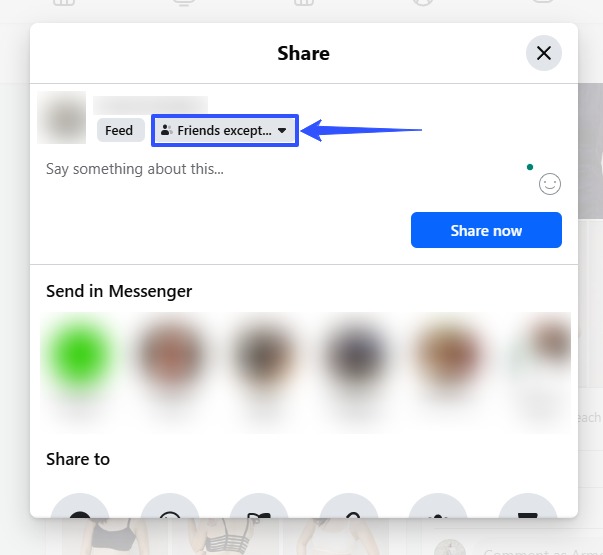
From here, you can change the post audience option accordingly. Again, setting the post to Public allows all your clients’ audiences to share the post.
How to make a post shareable on a Facebook group that is public
If your clients are in a public Facebook group, anything they post within that group can be shared by members if the post’s audience or privacy setting is set to Public.
Select Groups on your clients’ Facebook home page.
Must read: How to Unlink Facebook And Instagram: Easy Steps [2024]
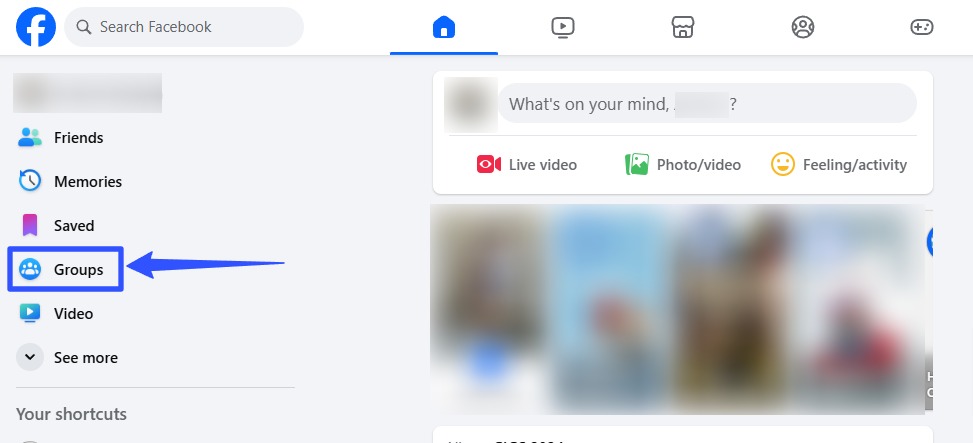
Select the group on which you want to publish a shareable post.
Note: Your clients can post in Facebook Groups they manage and have admin access to, including groups that enable posting permissions for members.
Click the Write something section and create your post.
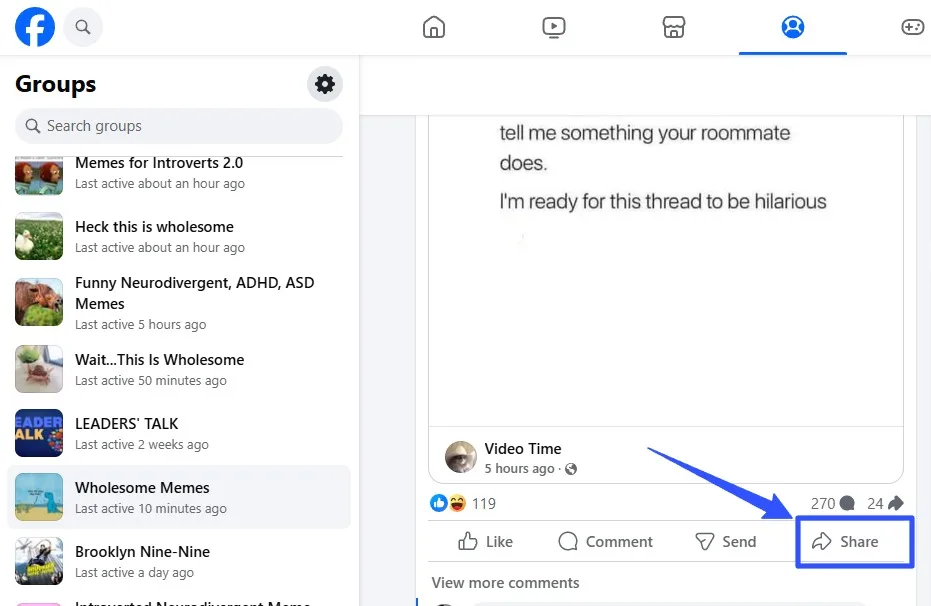
Public groups naturally allow your clients’ posts to be shared by members and the public by clicking the Share button at the bottom-right corner of the post.
How to make a post shareable on Facebook in a private group
Posts shared in your clients’ Private Facebook groups won’t be shareable by or with non-members.
However, there is a workaround to this.
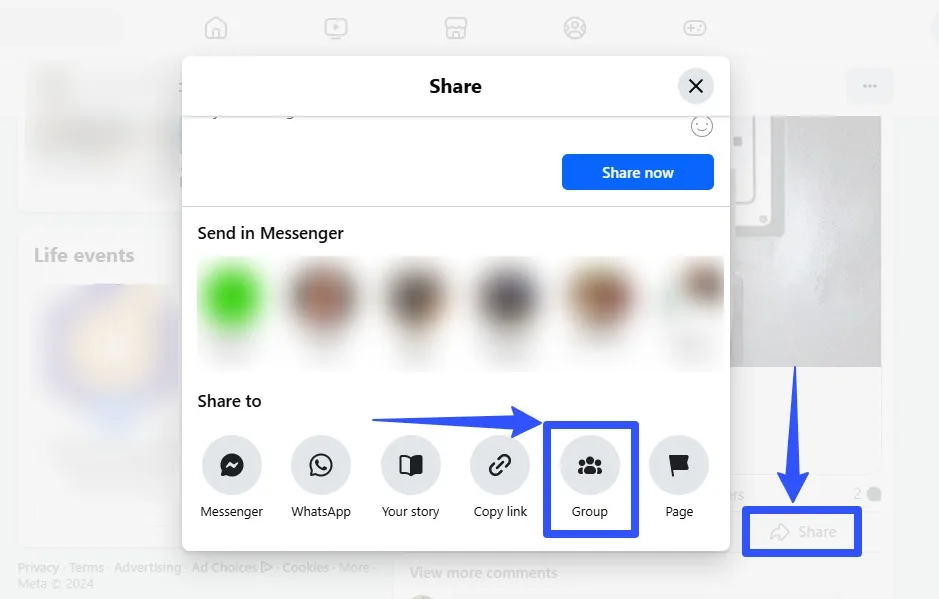
The key is to create (or re-create) the post for your clients’ Facebook feed and set the post audience or sharing settings to Public.
Then, select the Share button at the bottom lower-right corner of the post, click Share to Group, and choose the Private Facebook Group where you want to share the post.
Members who want to share the post outside the Group can go to your original post and share it from there.
How to make a post shareable on Facebook after posting
You can make your clients’ previously published Facebook posts shareable by changing the privacy settings.
Must read: Facebook Post Formatting: Ultimate Guide
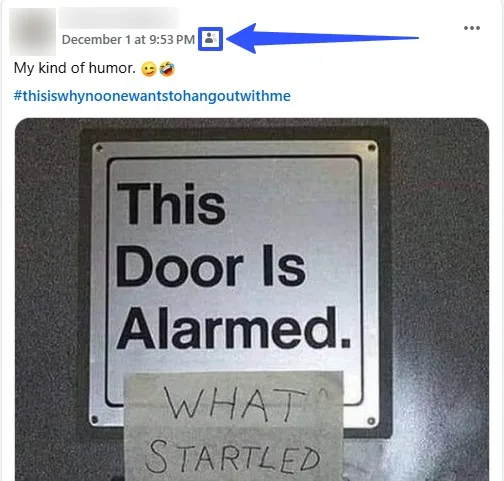
Go to the post you wish to make shareable and select the privacy or post audience icon under your clients’ username.
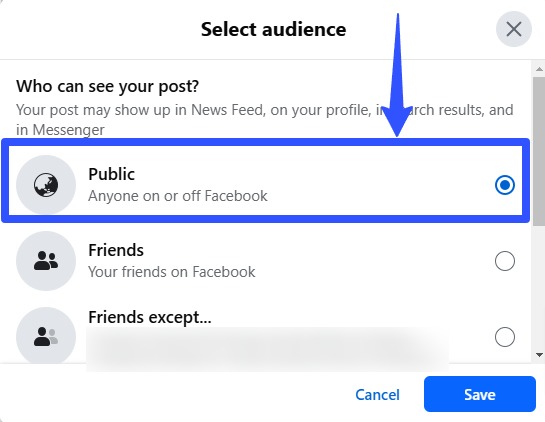
Set the audience to Public, and you’re all set.
Create and schedule shareable Facebook posts easily with Vista Social
Developing, customizing, managing, and scheduling your clients’ engaging and shareable Facebook posts is a breeze with Vista Social.
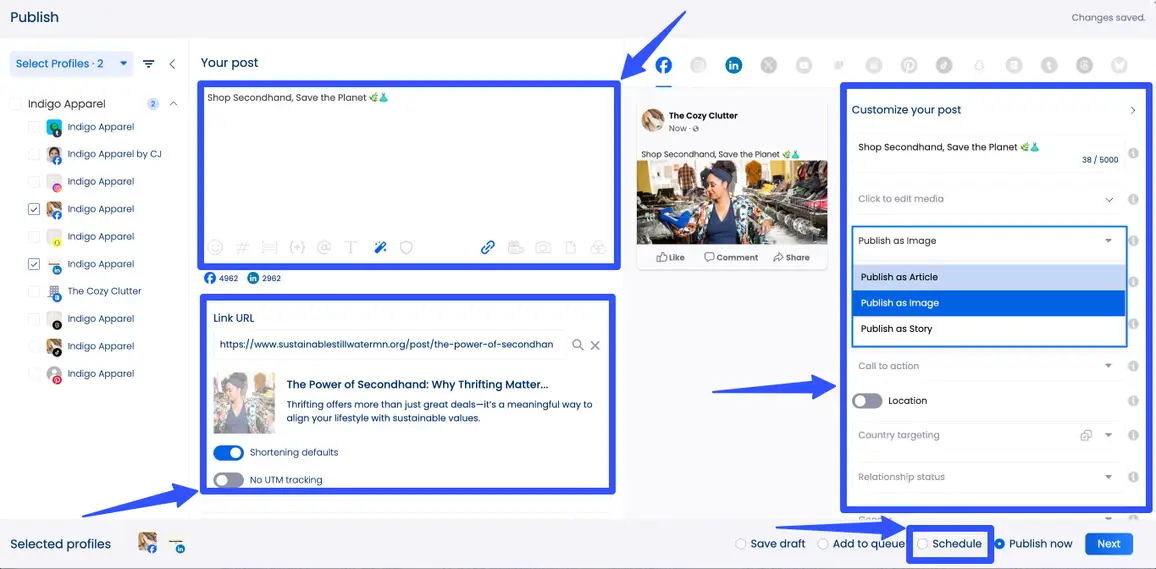
The modern social media management platform offers sophisticated Facebook management tools for business, including the following features.
- Individual or bulk post scheduling, including saving posts as drafts and adding them to queues
- Post boosting
- Rich Facebook analytics and reporting that tracks and analyzes Page, Group, and post performance, including report scheduling and sharing via interactive links
Must read: 10 Facebook Analytics Tools Used by Top Marketing Agencies
- Centralized content calendar
- Team collaboration tools, including multi-stage approval workflows
- AI Assistant
- Optimal send times
- Media integrations such as a built-in media library
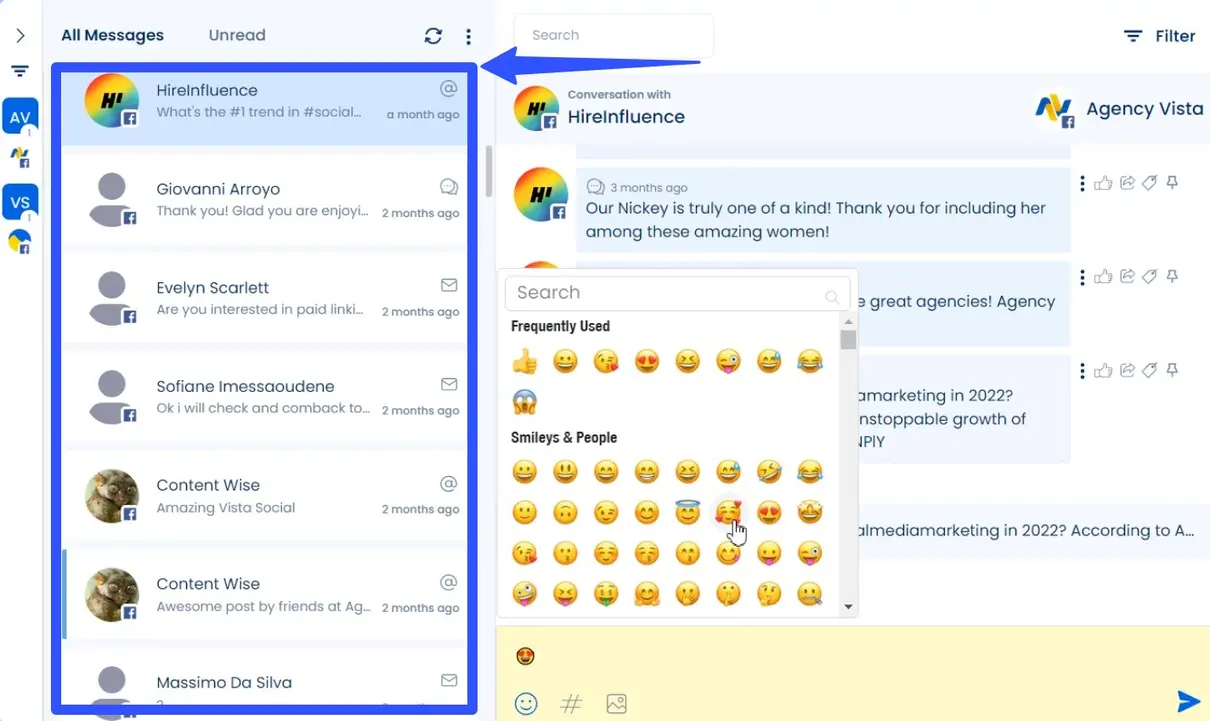
- Reputation and response management tools for Messenger, Groups, and Pages that include a unified social inbox and Social CRM tools for seamless engagement management
Shareable Facebook post examples
Check out the shareable Facebook posts from social media marketing leaders and influencers below.
Gary Vaynerchuk
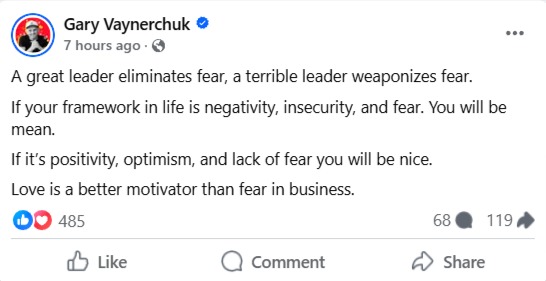
Image source: facebook.com
Mari Smith
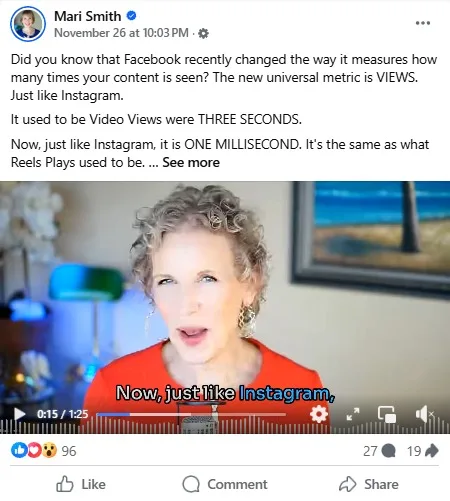
Image source: facebook.com
Amy Porterfield
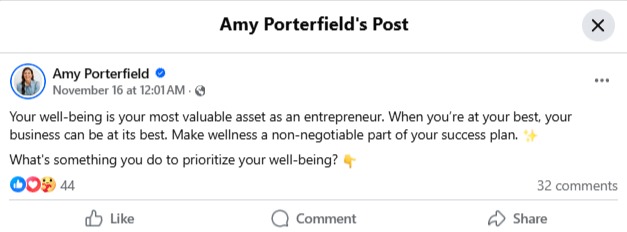
Image source: facebook.com
Try Vista Social for free
A social media management platform that actually helps you grow with easy-to-use content planning, scheduling, engagement and analytics tools.
Get Started NowAbout the Author

Content Writer
Jimmy Rodela is a social media and content marketing consultant with over 9 years of experience, with work appearing on sites such as Business.com, Yahoo, SEMRush, and SearchEnginePeople. He specializes in social media, content marketing, SaaS, small business strategy, marketing automation, and content development.
Loading related tools...



Tools
PublishingAnalyticsEngagementIntegrations
FacebookInstagramLinkedInRedditSnapchatThreadsTikTokX (Twitter)YouTubeBlueskyVista Page (link-in-bio)All IntegrationsCopyright © 2026 Vista Social LLC. All Rights Reserved.